Optimizing account
manager workflows
at Insight Global
Account managers at a Insight Global were juggling LinkedIn, HubSpot, and ZoomInfo just to prep for a single client call. I designed a purpose-built CRM feature that brings everything into one place: org charts, contact history, contracts, and ownership, so they can focus on the relationship, not the research.
Account managers were spending more time finding information than using it.
Account managers at Insight Global land and grow client accounts. That means knowing org structures, identifying the right decision-maker, and picking up relationships a colleague may have started months earlier. Before a single call, an AM might jump between three or four tools just to piece together a picture that should already exist in one place.
Tools AMs were juggling
Three Problems to Solve
One view for the full client picture.
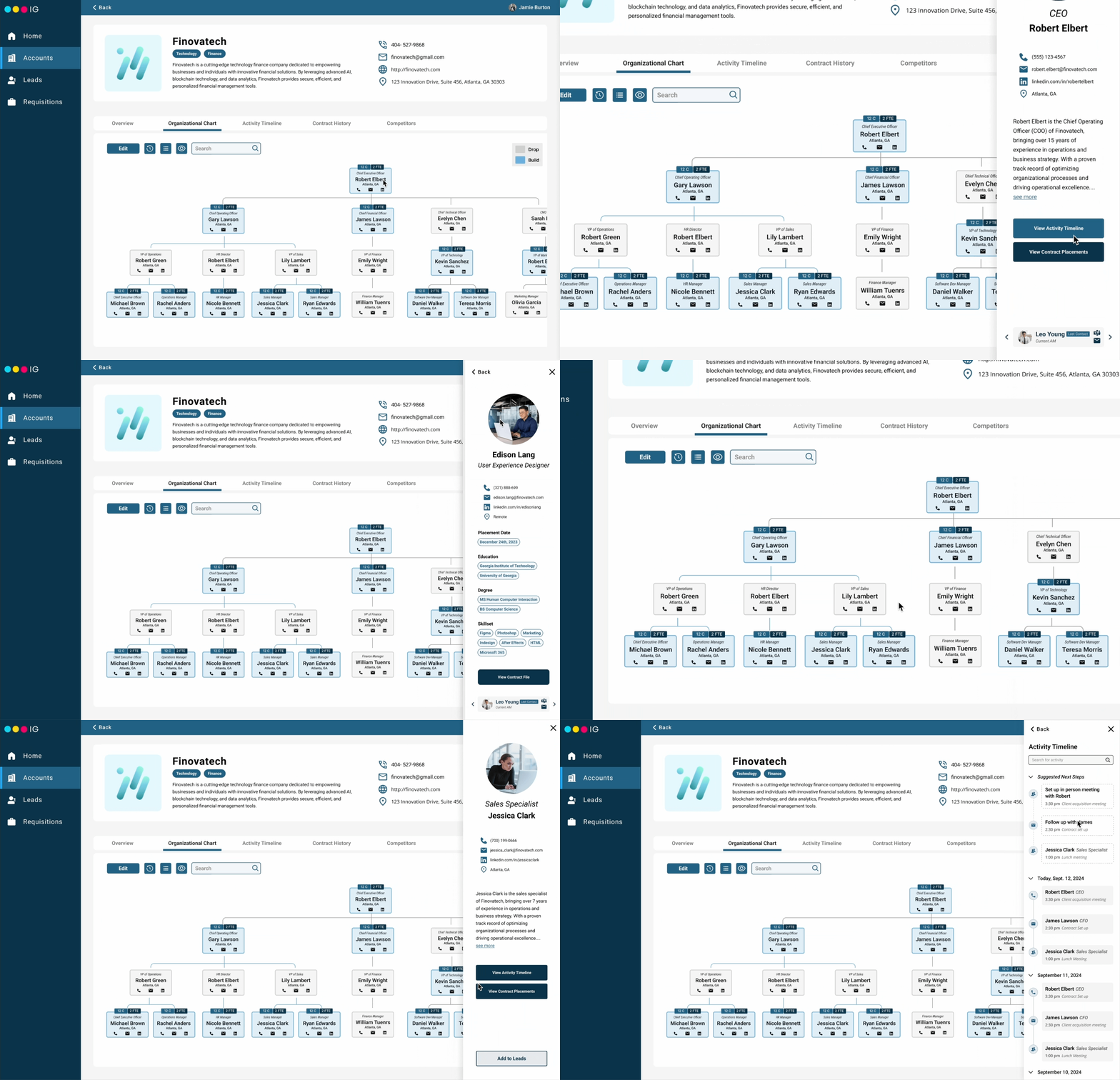
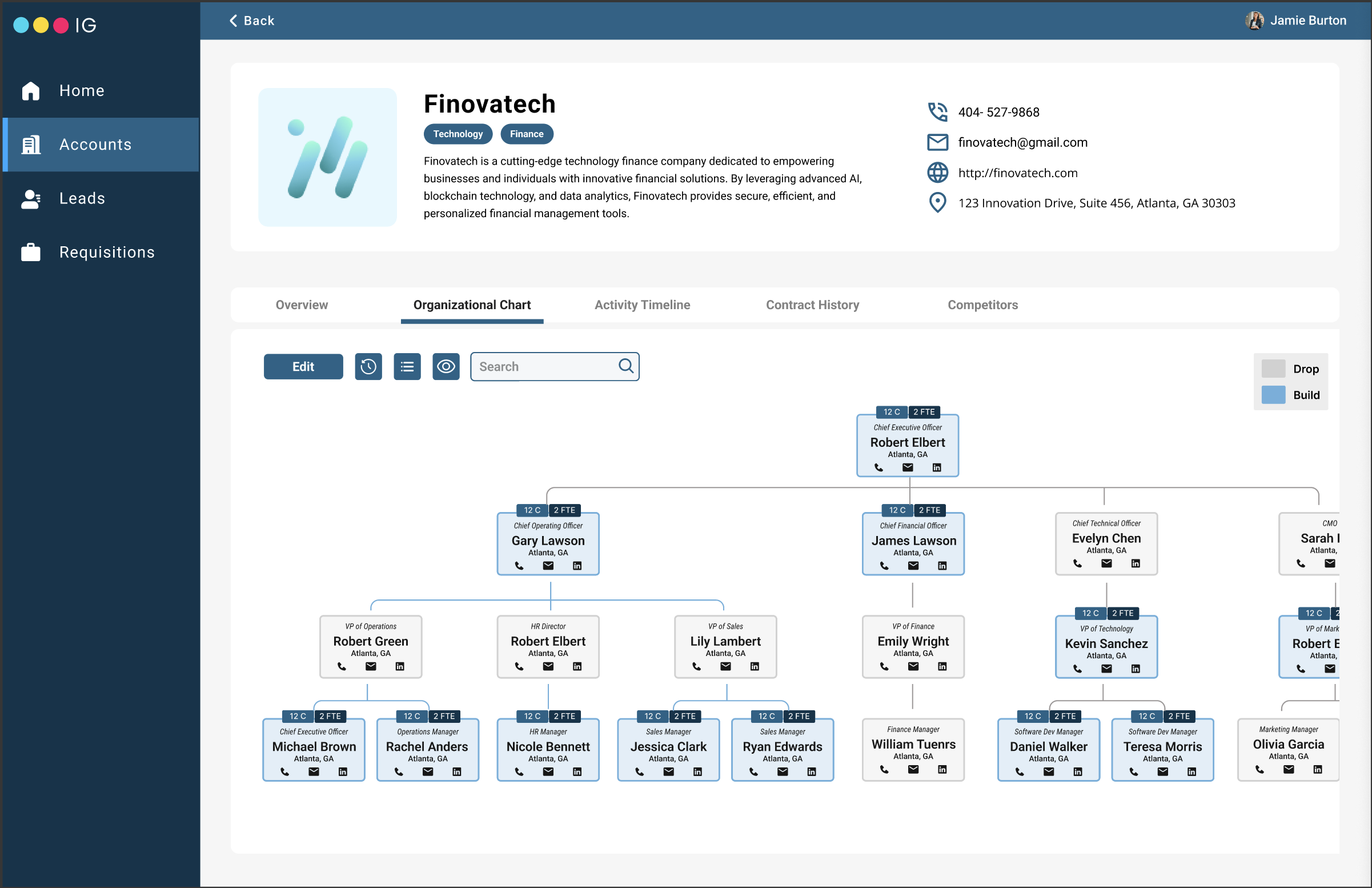
The CRM feature centers on an interactive organizational chart, a single place to see who's who, who owns what, and what's happened before. Supporting panels surface the history and context that AMs need without making them go looking for it.
Org Chart
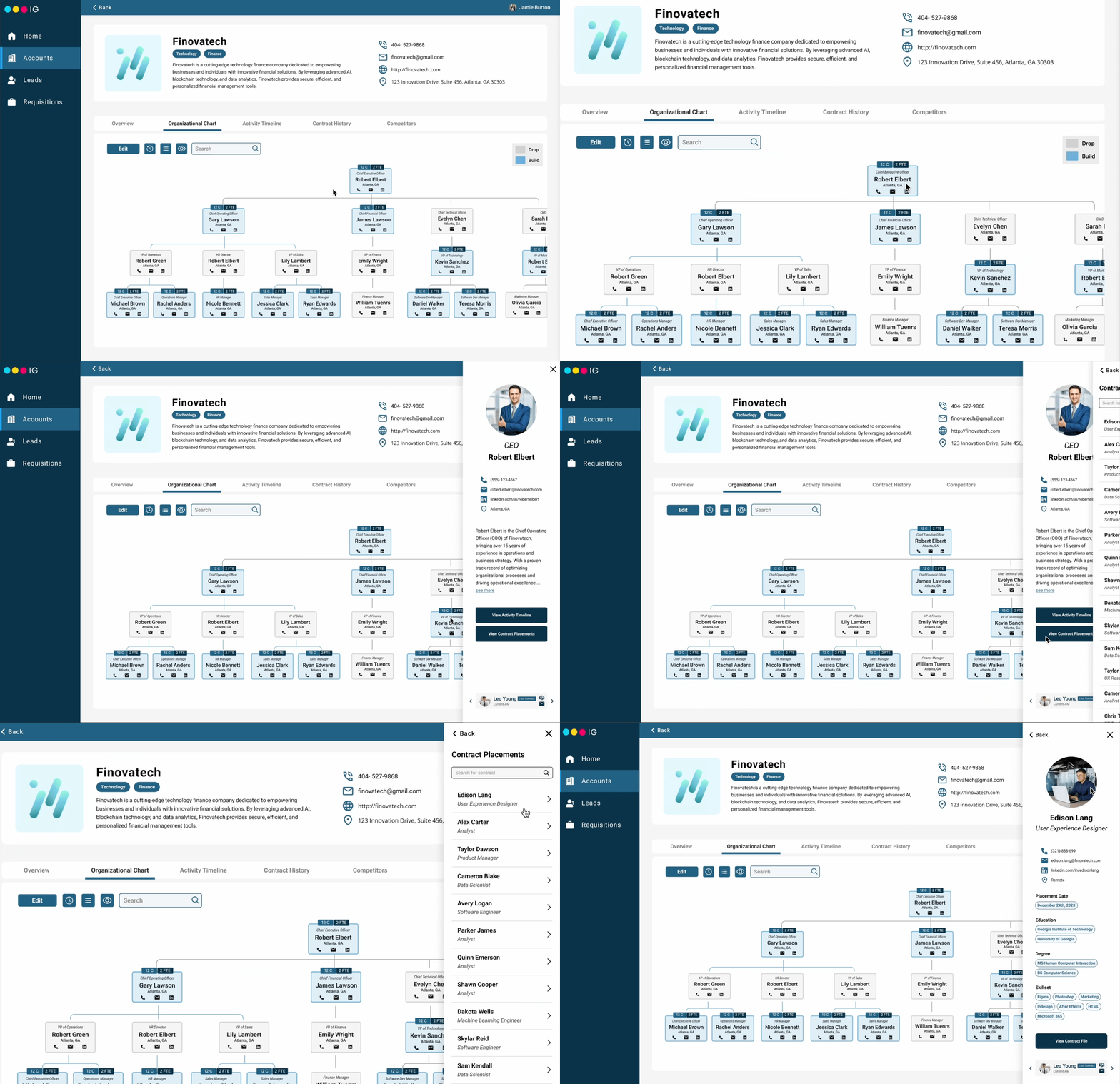
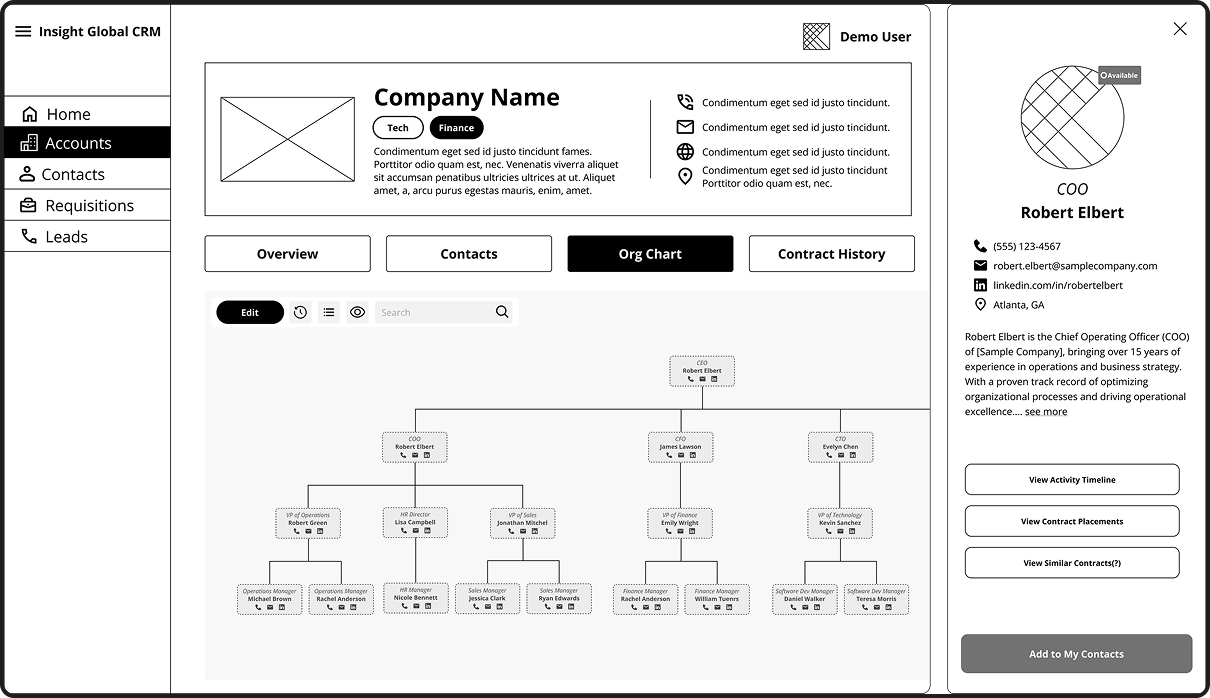
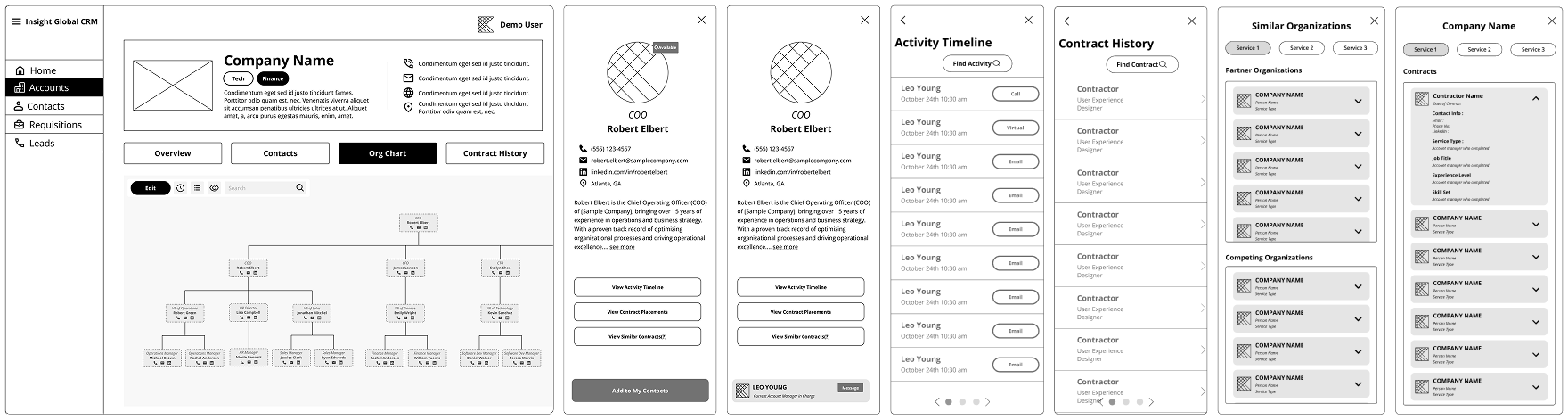
The core of the feature. AMs can see an entire client organization at a glance: who reports to whom, which contacts are owned by a colleague, and where the gaps are. Color-coded badges distinguish "Drop" (assigned AM) from "Build" (unassigned) contacts so outreach strategy is clear without digging.
Contact Side Panel & Placements
Clicking a contact opens a detailed side panel with role, interaction history, and internal connection pathways showing who at IG already knows this person and could make an intro. Past contract placements are surfaced here too, so AMs can reference relevant experience before a pitch without leaving the view.
Activity Timeline
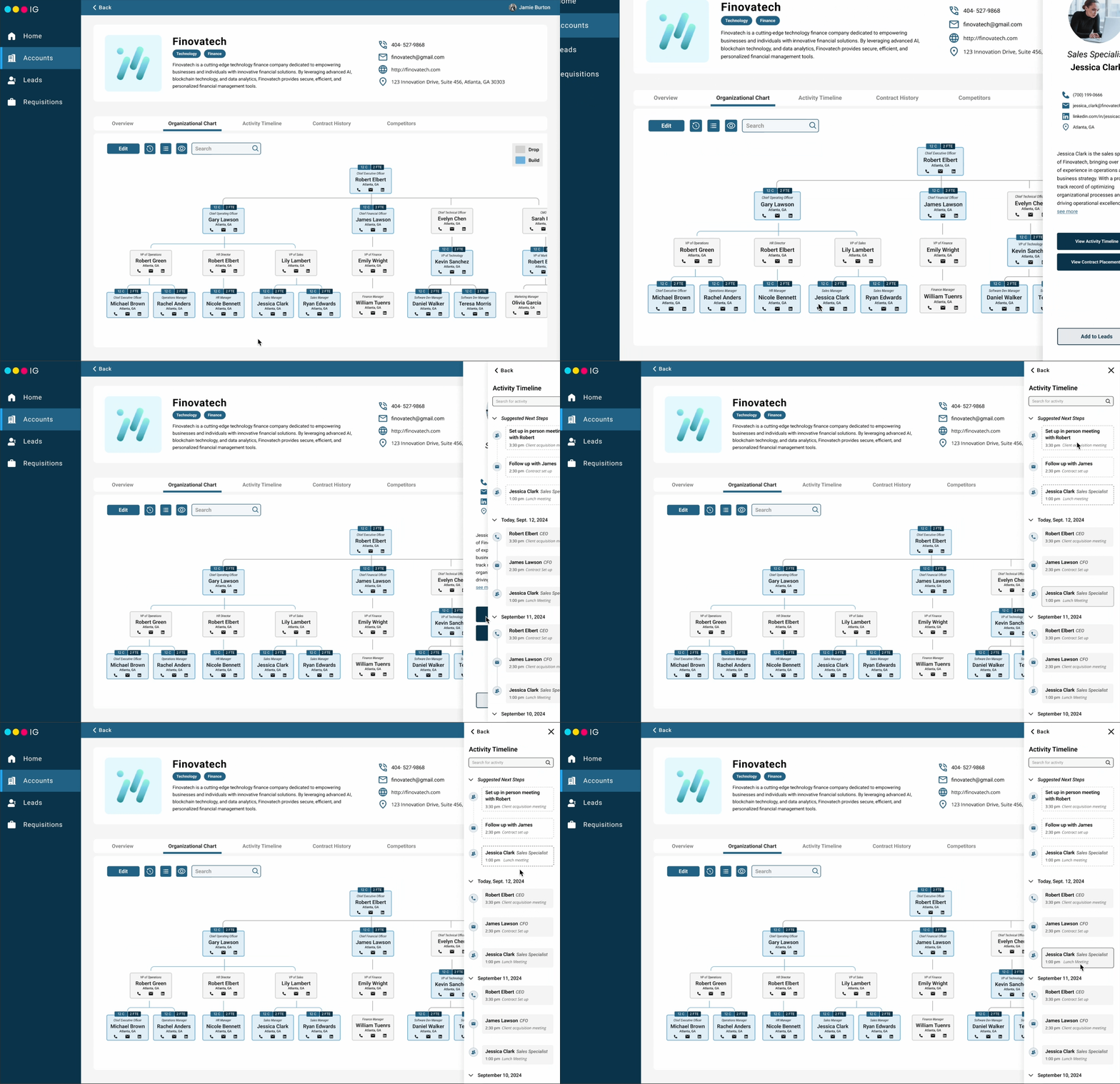
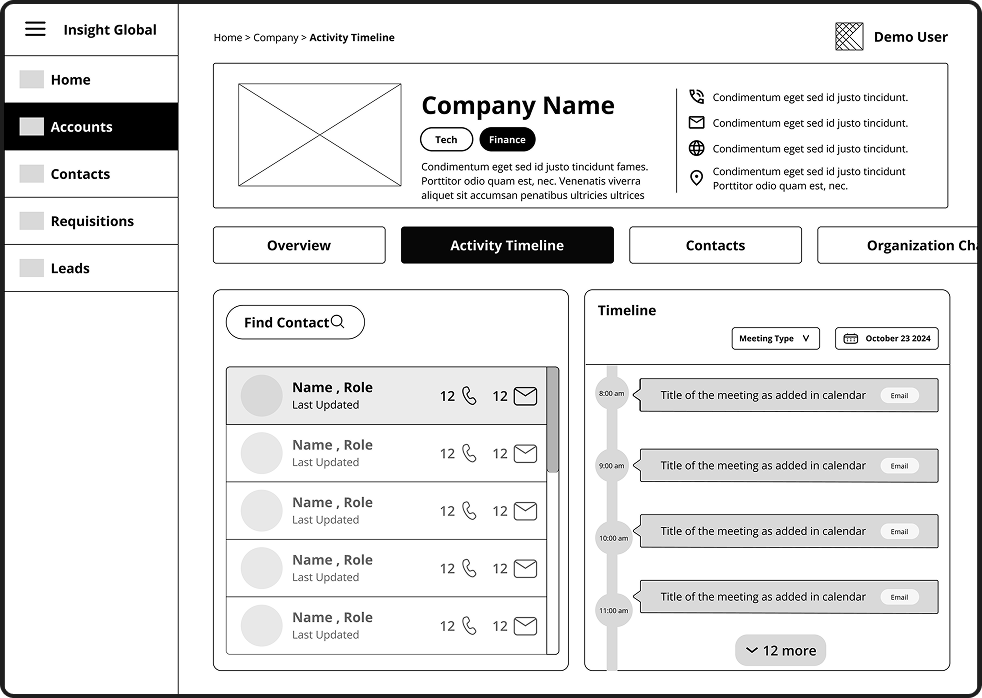
A chronological log of every touchpoint: calls, emails, meetings. An AM walking into a relationship midway has full context from the start. Upcoming tasks surface at the top so nothing slips through the cracks between team members.
Edit Mode
Org charts change. When contacts move roles or the account evolves, AMs can edit the chart directly, adding, removing, or updating nodes in real time. A version history log lets anyone on the team track changes or restore a prior state, keeping the source of truth accurate over time.
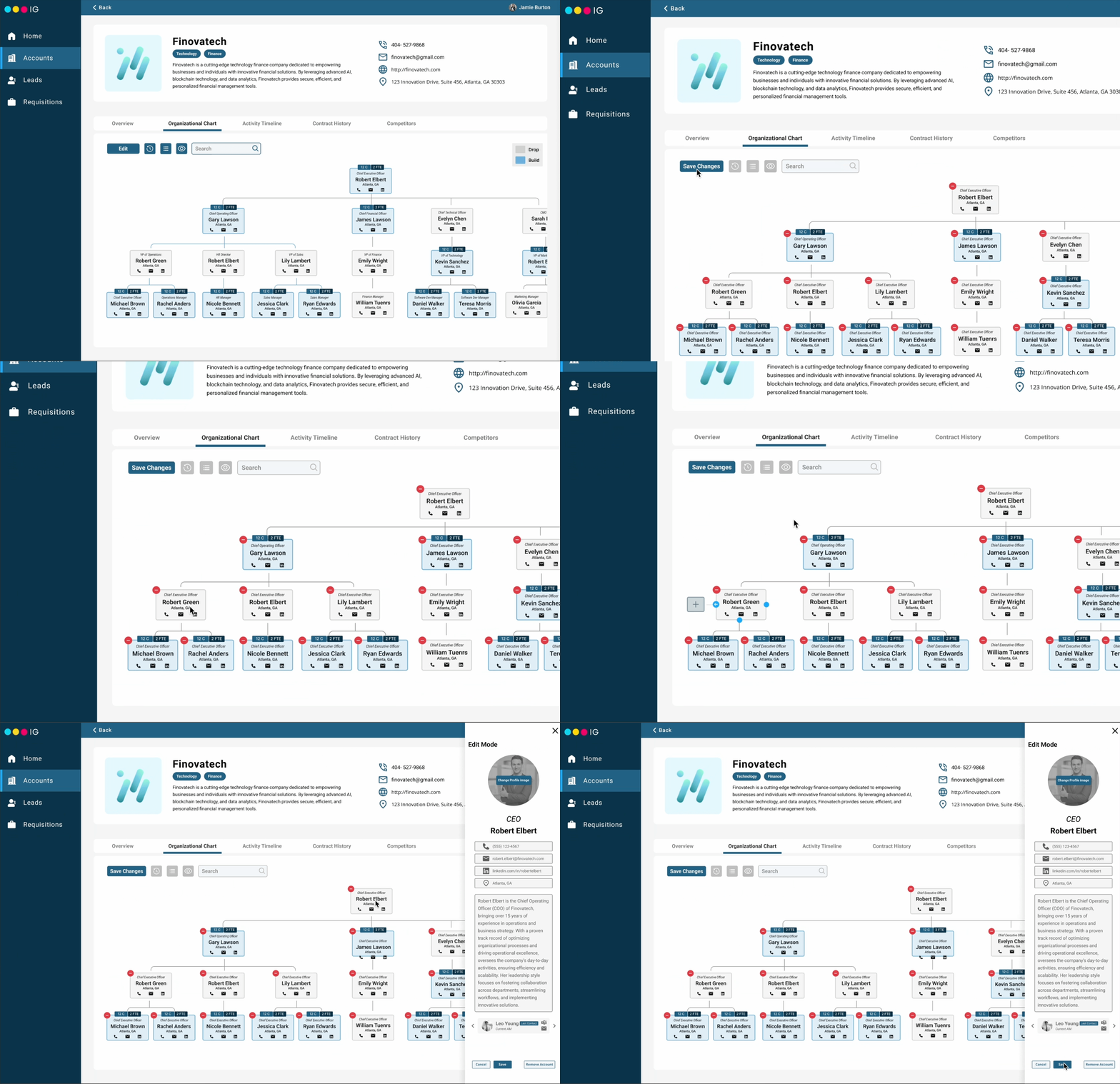
A CRM built around how account managers actually work.
The feature set (org chart, activity timeline, contract history, and contact ownership) was validated through rounds of usability testing and executive walkthroughs, then handed off to Insight Global's product team. Account managers reported feeling prepared for client calls without needing to leave the platform. Duplicated outreach dropped, and the institutional knowledge that used to live in someone's memory now lives in the system.
How did I get here?
The brief was broad: improve the CRM experience for account managers. I started by figuring out what was actually broken, which meant talking to the people who use it every day.
Understanding the space before designing anything
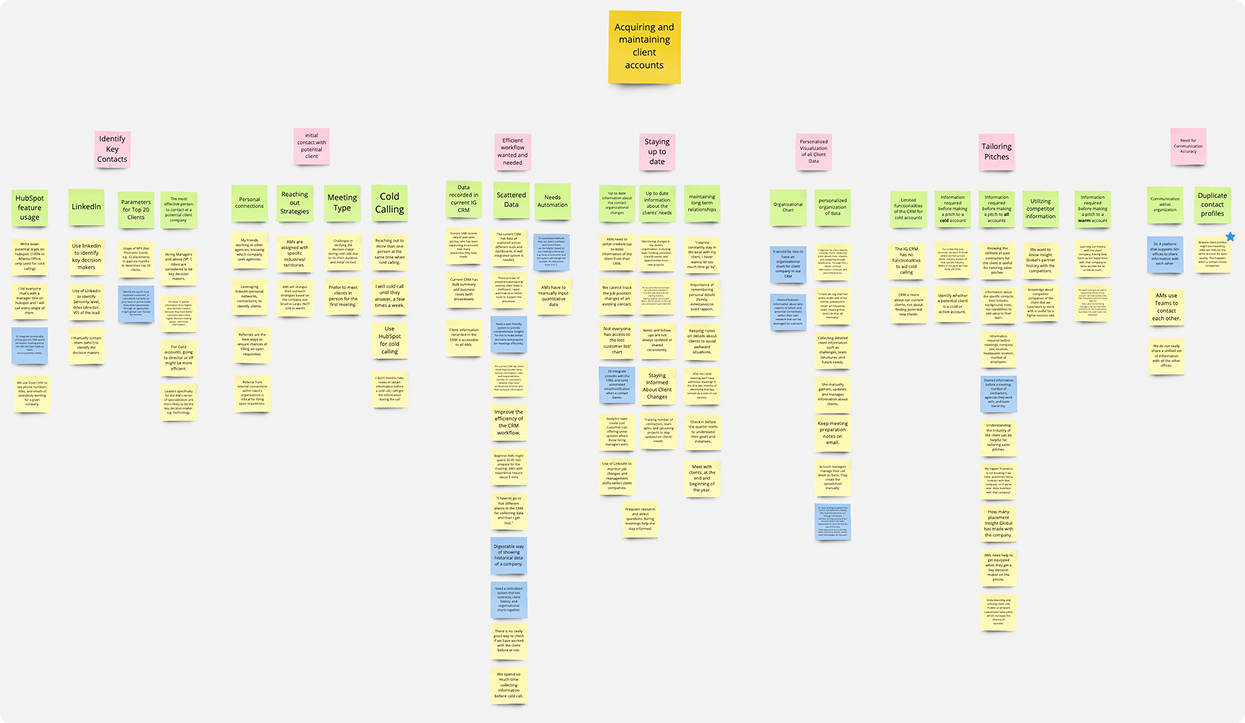
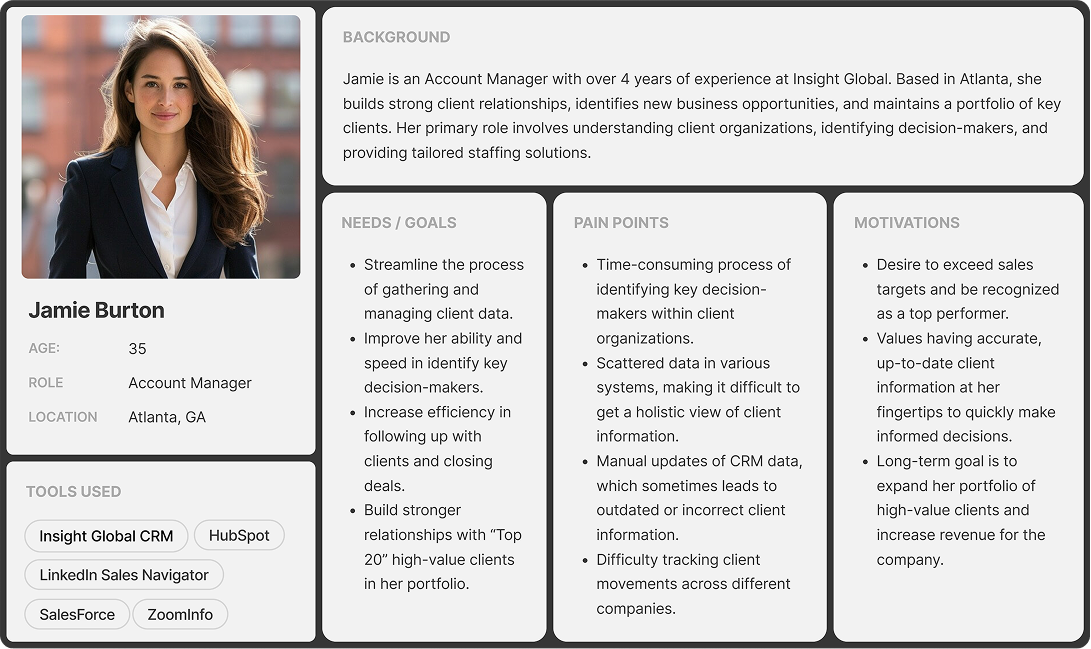
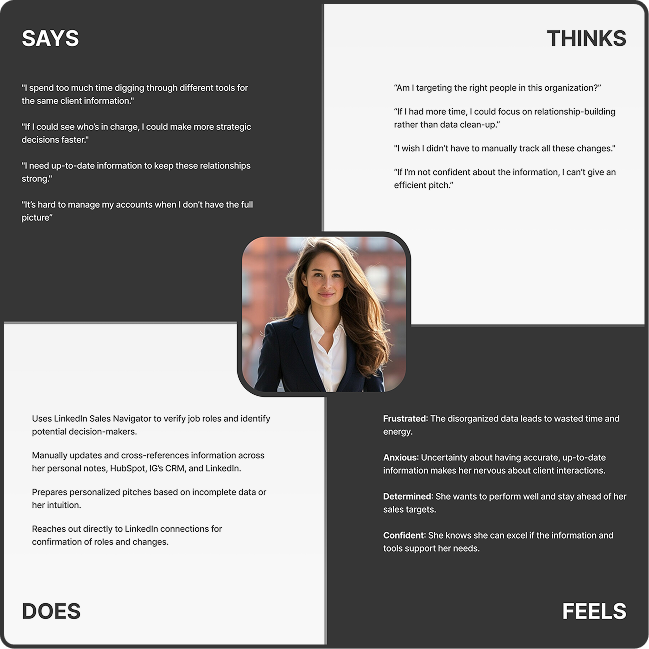
I started with a literature review on CRM systems (operational vs. analytical, what drives adoption, where tools tend to fail). That gave me a framework before talking to anyone at IG. I then ran semi-structured interviews with 4 stakeholders at IG headquarters (30 min each) and validated patterns with a survey of 13 industry contacts outside the company. Findings were synthesized into an affinity map and translated into a user persona and empathy map for the primary user.
The pattern that kept coming up: account managers weren't struggling because they lacked data. They were struggling because the data they needed was fragmented across tools that weren't built for their workflow.
Benchmarking what good looks like
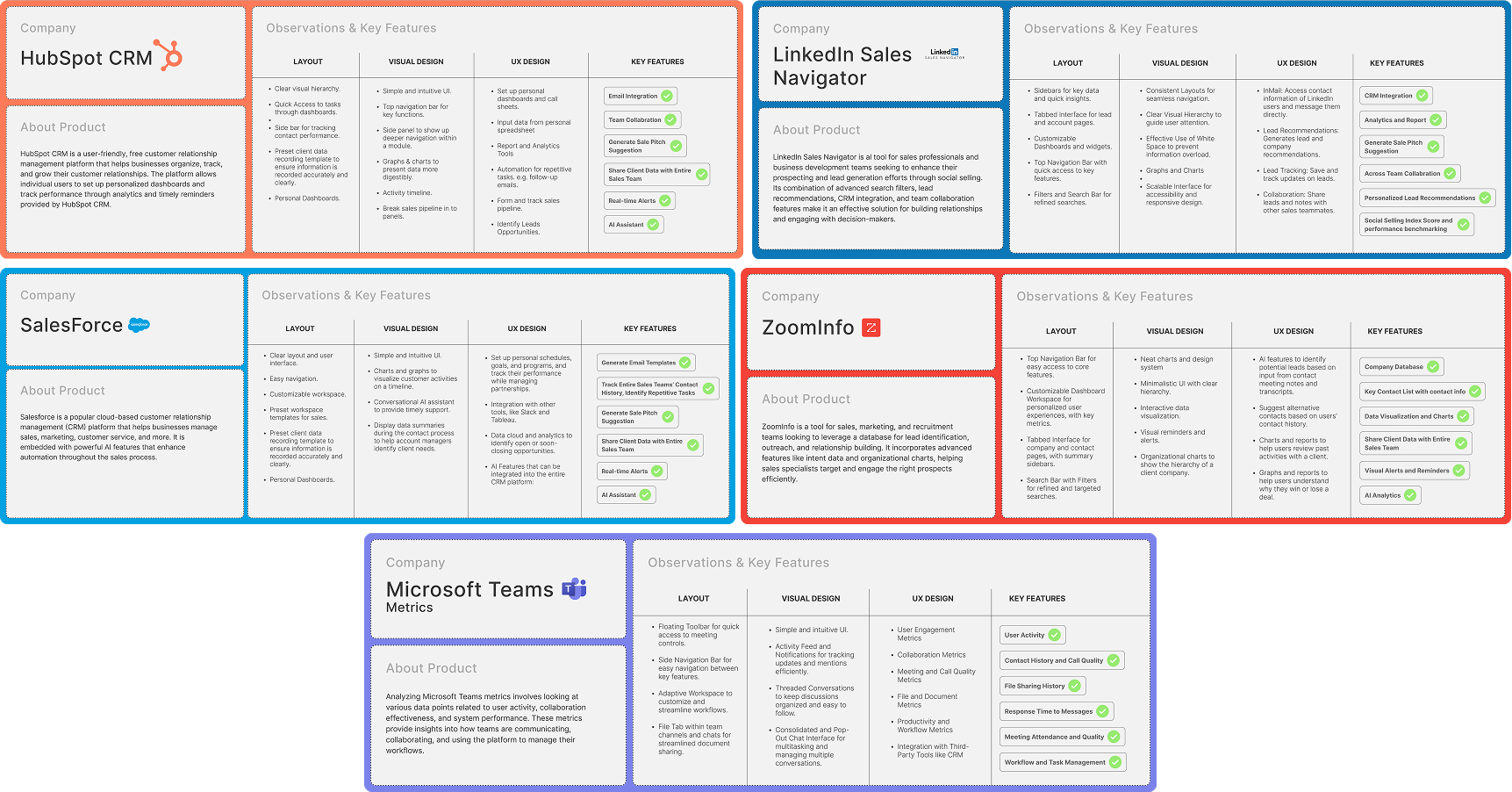
I audited five systems (HubSpot, LinkedIn Sales Navigator, Microsoft Teams Metrics, Salesforce, and ZoomInfo) looking for patterns in data visualization, contact ownership, and workflow automation. The walkthrough of IG's existing CRM made clear what was missing: real-time updates, a single source of truth for org data, and any view of relationship history between IG employees and client contacts.
Generating concepts, then narrowing down
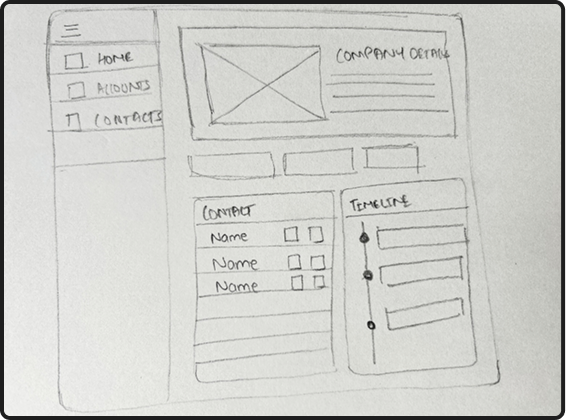
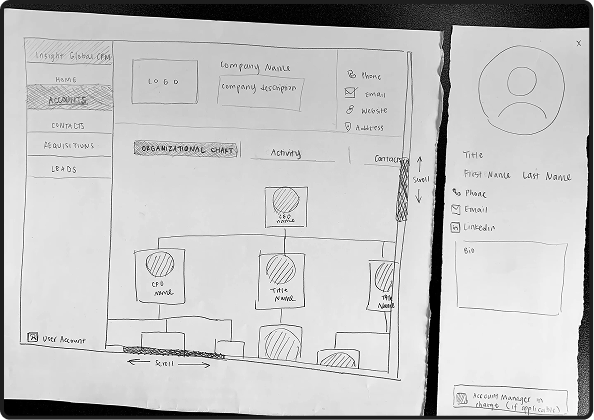
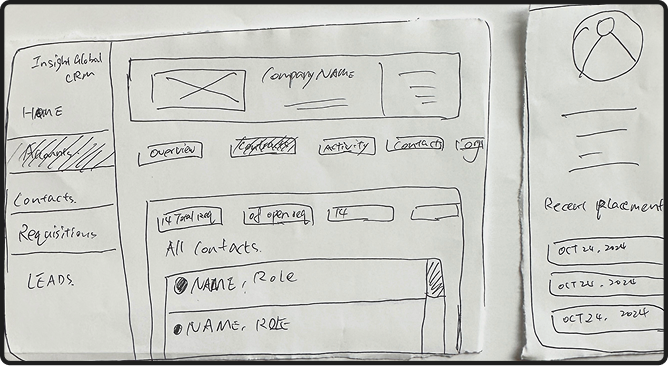
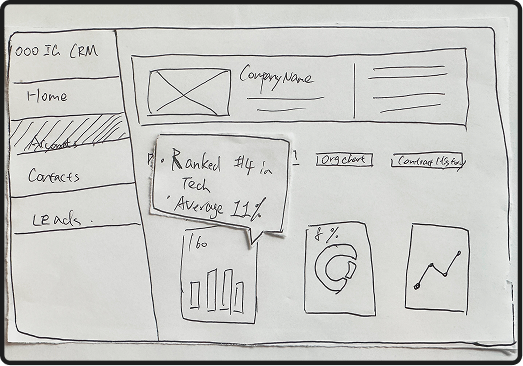
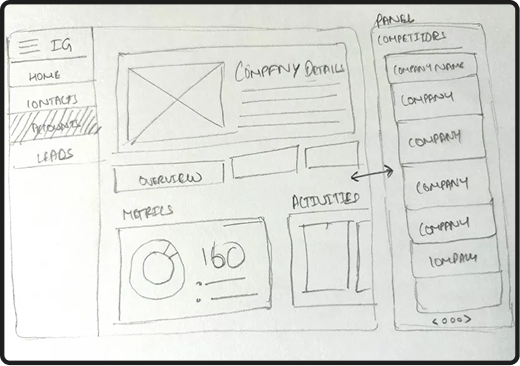
With a clear picture of the problem, I moved into ideation. I ran 4 rounds of 6-3-5 brainstorming (6 ideas, 3 people, 5 minutes) alongside SCAMPER exercises to push beyond obvious solutions. Early concepts explored included an organizational chart, historical contract view, activity timeline, competitor chart, and an overview tab.
Getting feedback
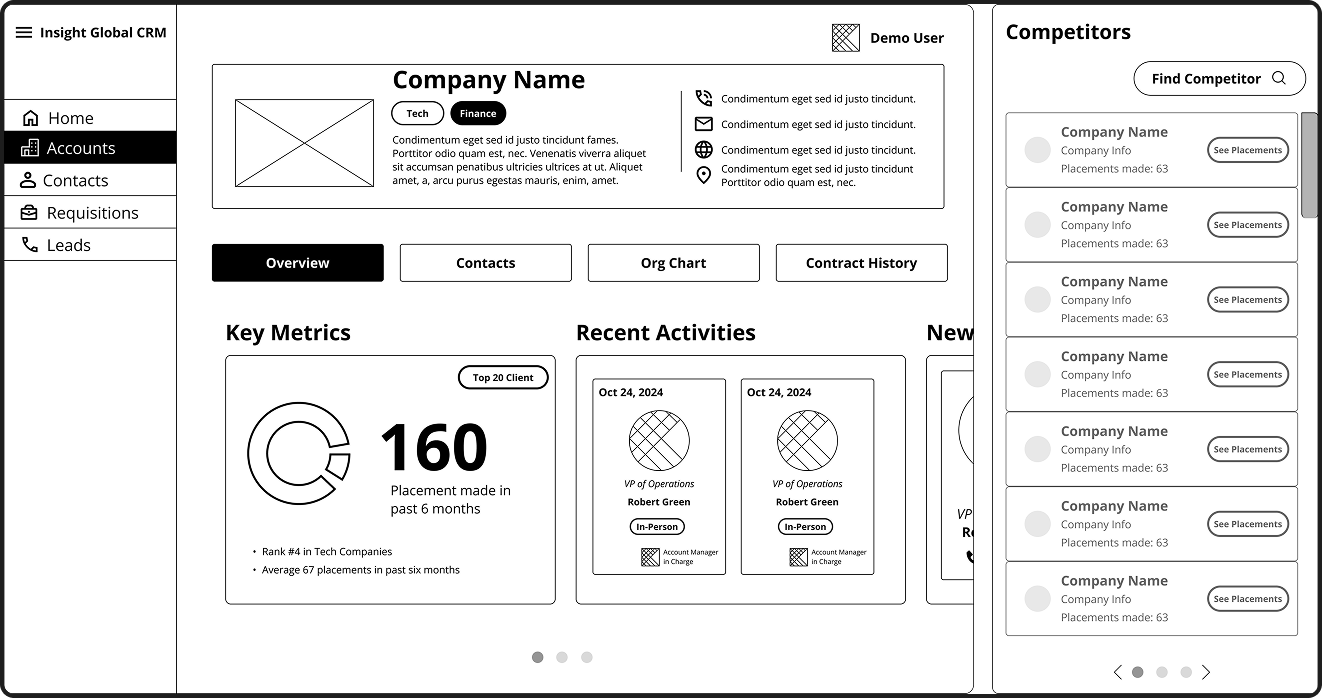
I built wireframes for the top concepts and walked through them with 3 IG executives. The sessions surfaced what mattered most to leadership: direct access to historical contract details, the ability to reference past placements when pitching ("name-dropping"), and a clear way to distinguish new contacts from established relationships.
Iterating on wireframes
Concept testing with 3 account managers confirmed the org chart was the right direction, but they wanted it to do more than just show hierarchy. Separately, 6 executives reviewed the information architecture and pushed for specifics: real-time contact ownership badges, a "claim contact" function, connection pathways showing which IG employees could make introductions, and fewer clicks to get to what mattered.
The final direction combined the activity timeline and competitor panel directly into the org chart view, replacing the multi-tab model from early wireframes. One view, everything accessible without navigating away.
Testing the prototype with Account Managers
I ran two rounds of evaluation. Moderated usability tests with 4 account managers covered three task areas: locating and managing contacts within the org chart, reviewing and updating contact information, and working through the edit and version history flow. Cognitive walkthroughs with 3 executives simulated real scenarios including prepping for a cold call, tailoring a follow-up pitch, and updating client data after a meeting.
Search was mostly effective but needed to be faster and more forgiving. Version history required too many steps to be useful in the moment. Users wanted personal notes and real-time notifications to fit the feature into their existing habits.
Inconsistent terminology and ambiguous color coding created confusion across the interface. Contact profiles needed more actionable context: recent summaries and clearer next steps to be useful during outreach prep.